What Does WPM Mean?
WPM, or Words Per Minute, is the standard way typing speed is measured. It counts how many words — typically standardized at 5 characters per "word," including spaces, to keep the measurement consistent regardless of actual word length — you can type accurately within a minute. Speed alone isn't the full picture, though; accuracy plays an equally important role, since a fast typist who constantly backspaces to fix errors isn't actually faster in any practical sense.
Typing speed tests usually work by giving you a passage of text to copy, then measuring both how many characters you typed in the time given and how many of those characters were correct. Most tools calculate "net WPM" — gross words typed minus an error penalty — rather than counting every keystroke regardless of accuracy.
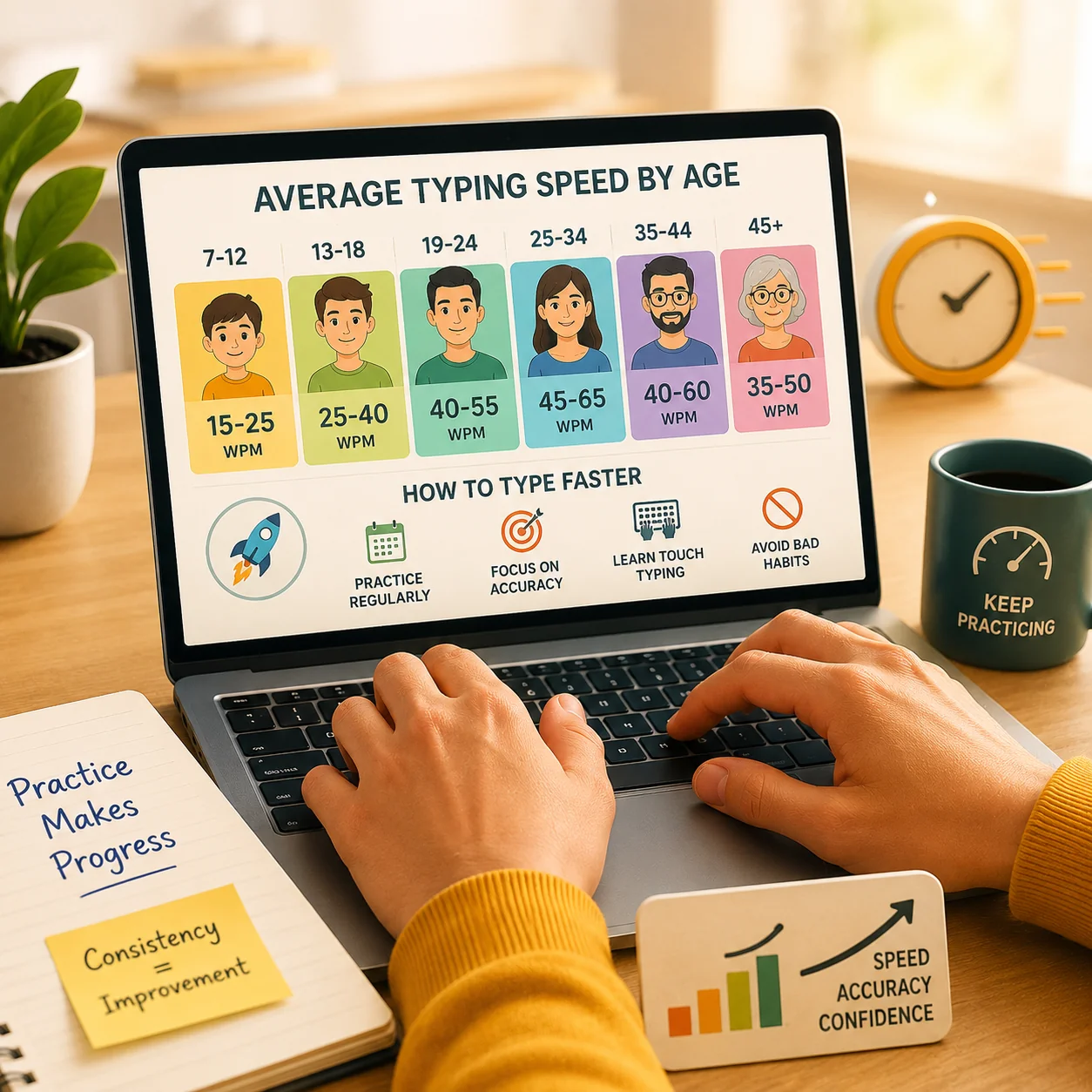
Average Typing Speed by Skill Level
Typing speed varies widely depending on practice, keyboard familiarity, and how much someone types as part of their daily routine:
- Under 35 WPM — Beginner, common for those still learning proper finger placement or who type infrequently.
- 35–50 WPM — Average typist, typical for most casual computer users who didn't specifically learn touch-typing.
- 50–70 WPM — Proficient, common among regular desk workers and students who type frequently for school or work.
- 70–90 WPM — Advanced typist, often seen in writing-heavy professions like journalism, content writing, or programming.
- 90+ WPM — Professional-level, achieved by transcriptionists, court reporters, and competitive typists who've trained the skill deliberately.
For context, the world record for typing speed sits well above 200 WPM, though that's an extreme outlier achieved under ideal, practiced conditions — not a realistic benchmark for everyday typing.
Why Accuracy Matters as Much as Speed
A high WPM score with constant typos isn't actually faster in practice — every correction costs time, both in the moment of fixing it and in the mental interruption it causes to your typing flow. Most typing tests factor in accuracy alongside raw speed, since a typist who makes fewer mistakes will consistently outperform a faster but error-prone one in real-world tasks like writing an email or finishing a document under a deadline.
A useful way to think about it: typing 60 WPM with 98% accuracy will almost always get a piece of writing finished faster than typing 80 WPM with 85% accuracy, once you account for all the time spent going back to fix mistakes.
Touch-Typing vs. Hunt-and-Peck
The biggest single factor separating fast and slow typists isn't finger speed — it's technique. Touch-typing, where each finger is assigned to specific keys and you type without looking at the keyboard, allows your hands to move based on muscle memory. "Hunt-and-peck" typing, where you visually search for each key, is inherently slower because it adds a visual search step before every keystroke, no matter how quick your reflexes are.
Most people who type under 35 WPM are still relying on some form of hunt-and-peck, even if they've been using a computer for years. Learning proper touch-typing — even later in life — reliably produces speed gains because it removes that visual search bottleneck entirely.
How to Improve Your Typing Speed
- Learn proper touch-typing technique instead of looking at the keyboard — this is the single biggest lever for most beginner and intermediate typists.
- Practice regularly in short, focused sessions (10–15 minutes) rather than long irregular ones; typing skill builds through frequent repetition, not marathon sessions.
- Prioritize accuracy first — speed naturally follows once mistakes drop, and chasing speed before accuracy tends to reinforce bad habits.
- Use varied text passages so your fingers adapt to different word patterns and letter combinations, not just memorized phrases you've seen before.
- Pay attention to posture and hand position — awkward wrist angles slow you down over time and can contribute to discomfort during long typing sessions.
Test Your Typing Speed
Curious about your real WPM? Try the free Typing Speed Test to measure your speed, accuracy, and consistency in real time, with a results breakdown that shows exactly where your typing could improve.